Design-build remodeling · Los Angeles and the Bay Area
A remodeling presence that helps people understand, plan and inquire.
A design-build remodeler's website rebuilt around the questions homeowners ask before they call: what's involved, what it might cost and what happens next.
- Business
- Design-build remodeling
- Regions
- Los Angeles and the Bay Area
- Built
- Website, planning tools, lead and booking flow
- Status
- Live
Client name and identifying details changed for privacy.
Context
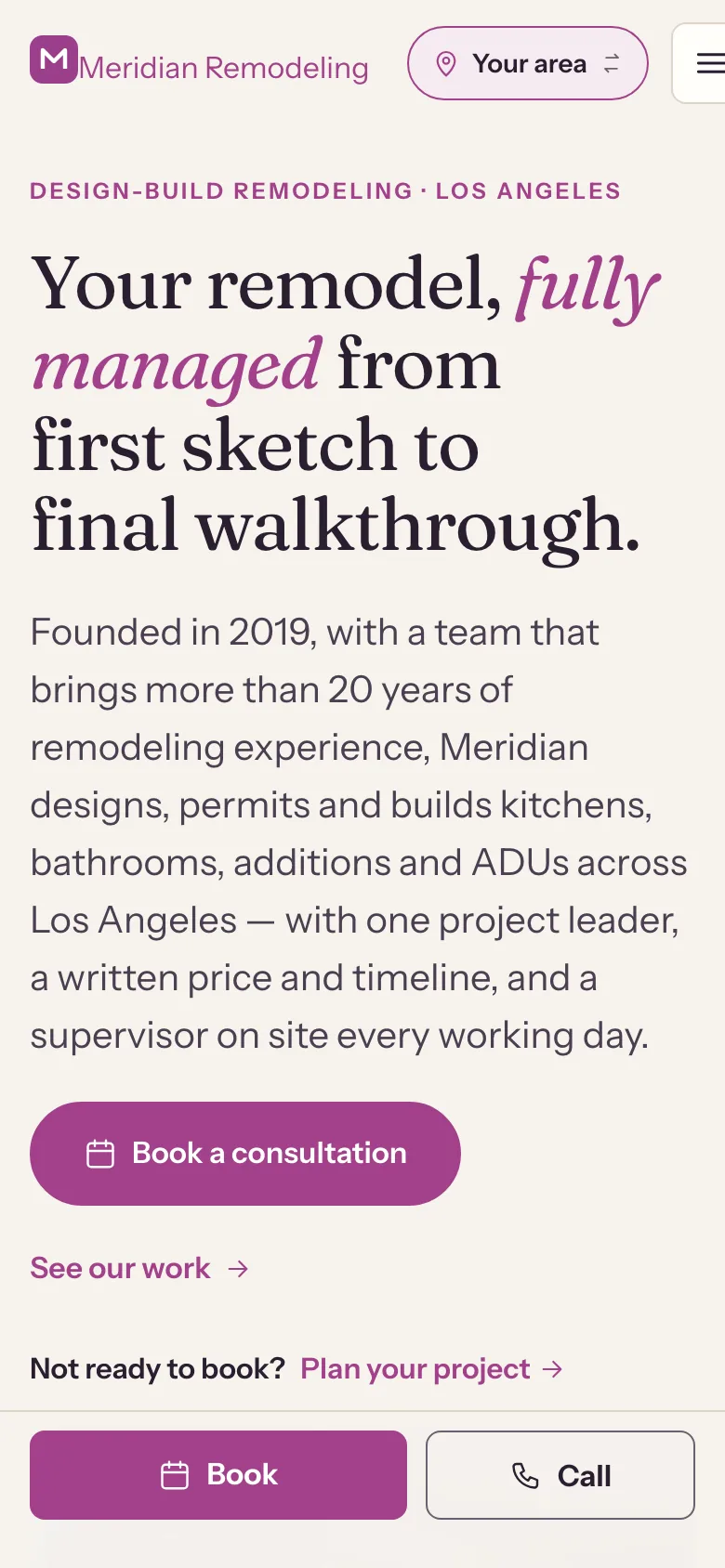
The company designs, permits and builds kitchens, bathrooms, additions and ADUs in two regions. Its previous site described services but gave homeowners little help deciding what they needed or what it would cost.
The new site had to work for two regions without duplicating effort, and keep every price and claim under the company's control.
What people needed
Homeowners considering a remodel ask the same things first: what kind of project fits what I want, roughly what will it cost, and what happens if I get in touch?
If the site can't answer those, people leave or send a vague inquiry that takes a phone call to untangle.
What we built
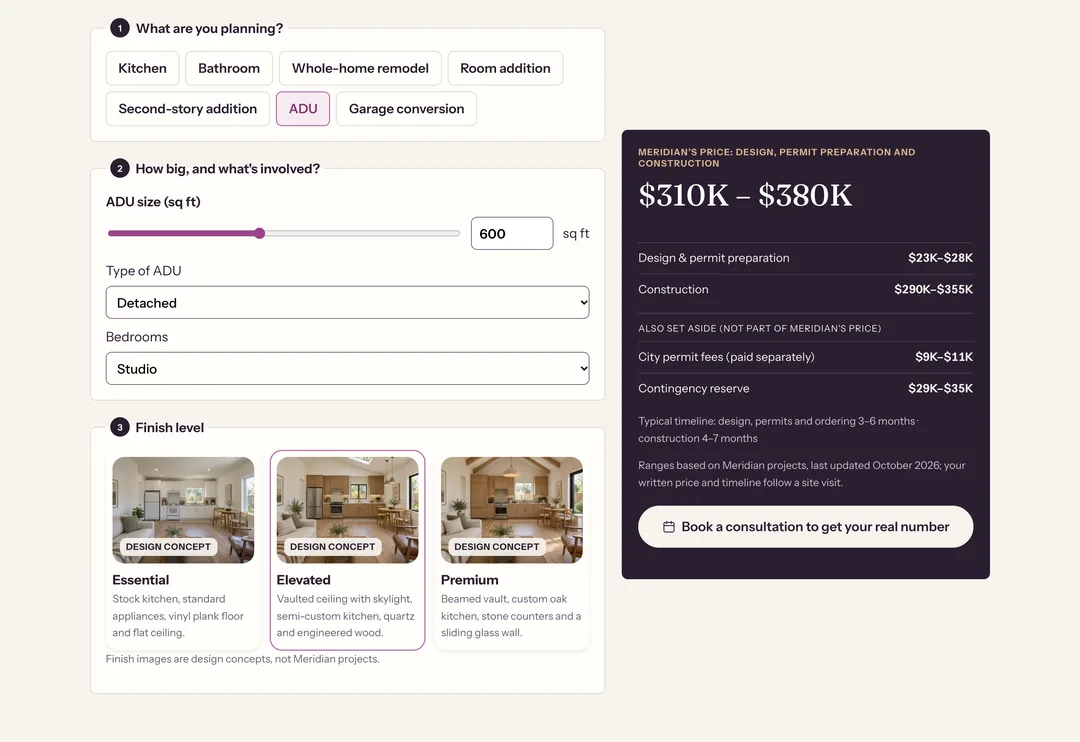
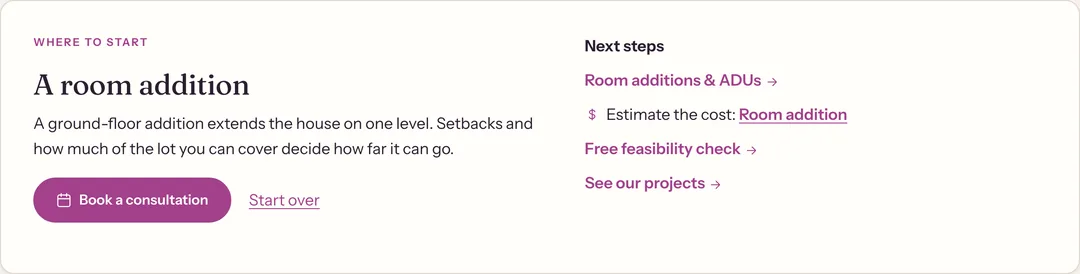
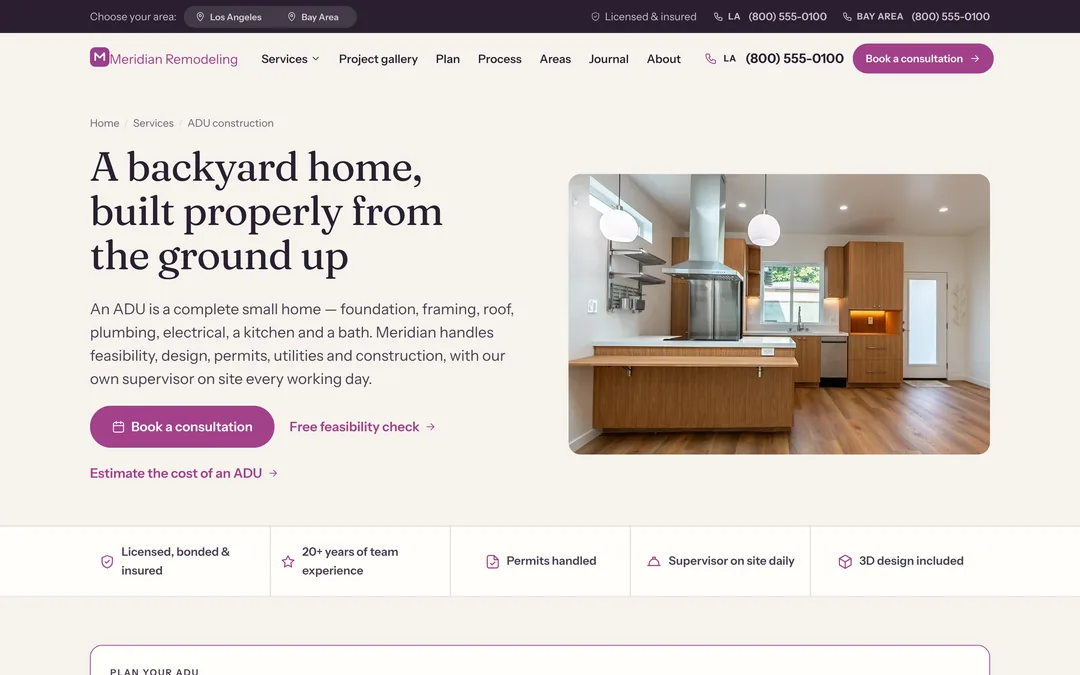
We organized the site around planning. Each service page explains the work in plain language and leads with a “Plan your project” panel. A two-question project finder points people to the right kind of project. A cost estimator gives a planning range from the company's own prices. Every path ends at a booking form that picks up what the visitor already chose.
Visitors choose Los Angeles or the Bay Area once, and the whole site follows: phone numbers, service areas and region pages.
What it looks like
The connected journey
- Understand
A service page explains the project and what affects its cost.
- Plan
The finder or the estimator turns a vague idea into a project type and a planning range.
- Inquire
“Book a consultation” opens the booking form at step 2, with the project already chosen.
- Follow up
The lead platform saves the inquiry and notifies the company.
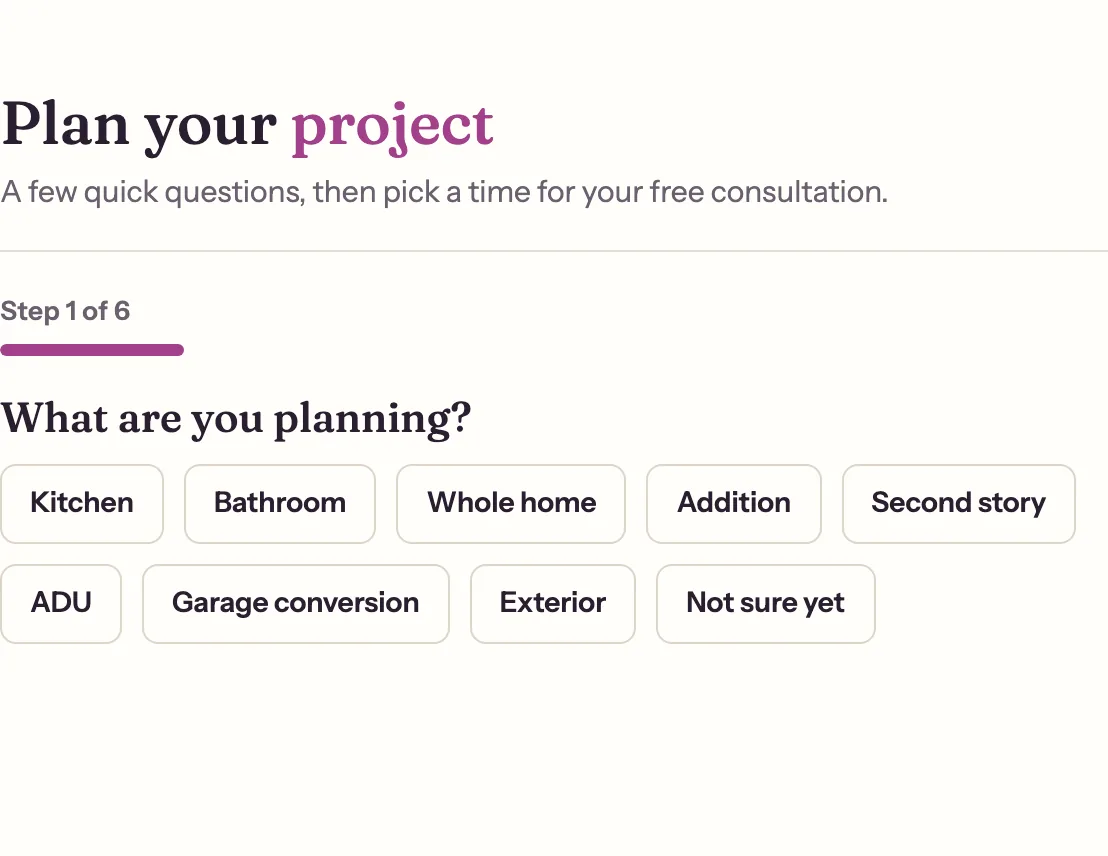
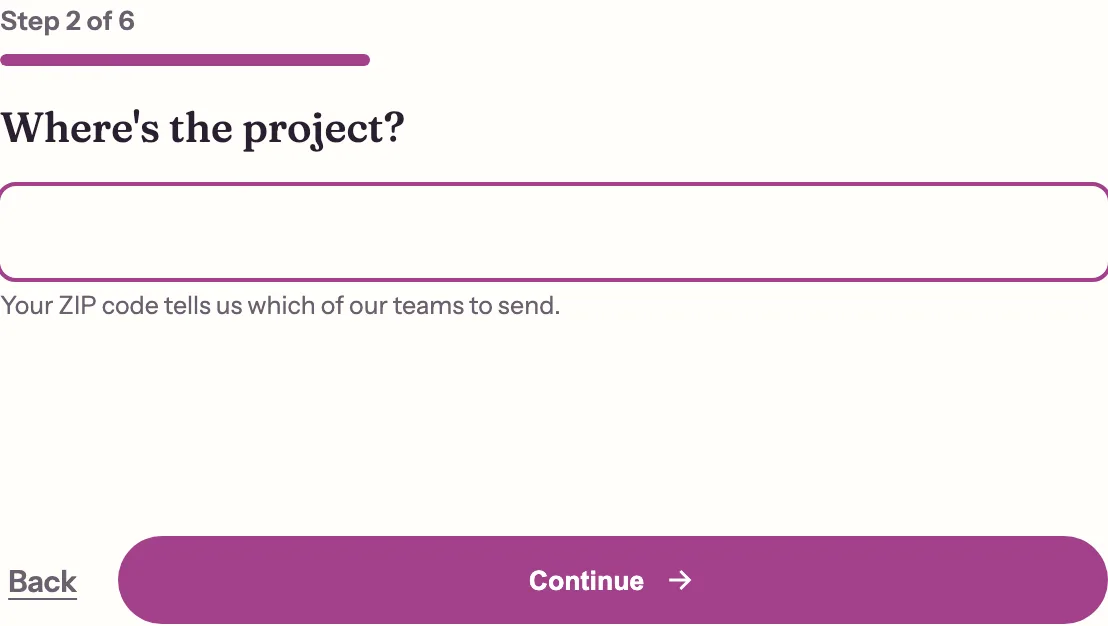
Left: the booking form on its own starts by asking what the visitor is planning. Right: arriving from the estimator with “ADU” chosen, it opens at step 2.
What Rugged Demand did
- Site structure, page design and the responsive build
- The cost estimator and project finder, and the pricing spreadsheet behind them
- Image direction, with generated design concepts labeled on every page
- The lead and booking flow on our lead platform
- Two-region handling, analytics events and redirects for every old address
Evidence
Delivered and live
- Service, region and city pages for two regions
- Cost estimator with seven project types and three finish levels
- Two-question project finder
- Booking form that opens with the visitor's chosen project
- Prices controlled from one spreadsheet, validated before each rebuild
Next on the list
- Attaching the estimate range itself to the inquiry, so the company sees the number the visitor saw
Measured outcomes
We haven't published results for this site yet. We'll add them once there's a baseline to compare against.