The experience you need, with the software to support it.
Some businesses need a clear, compelling website. Others need planning tools, publishing workflows or applications built around a specific process. We design the experience and build the functionality together.
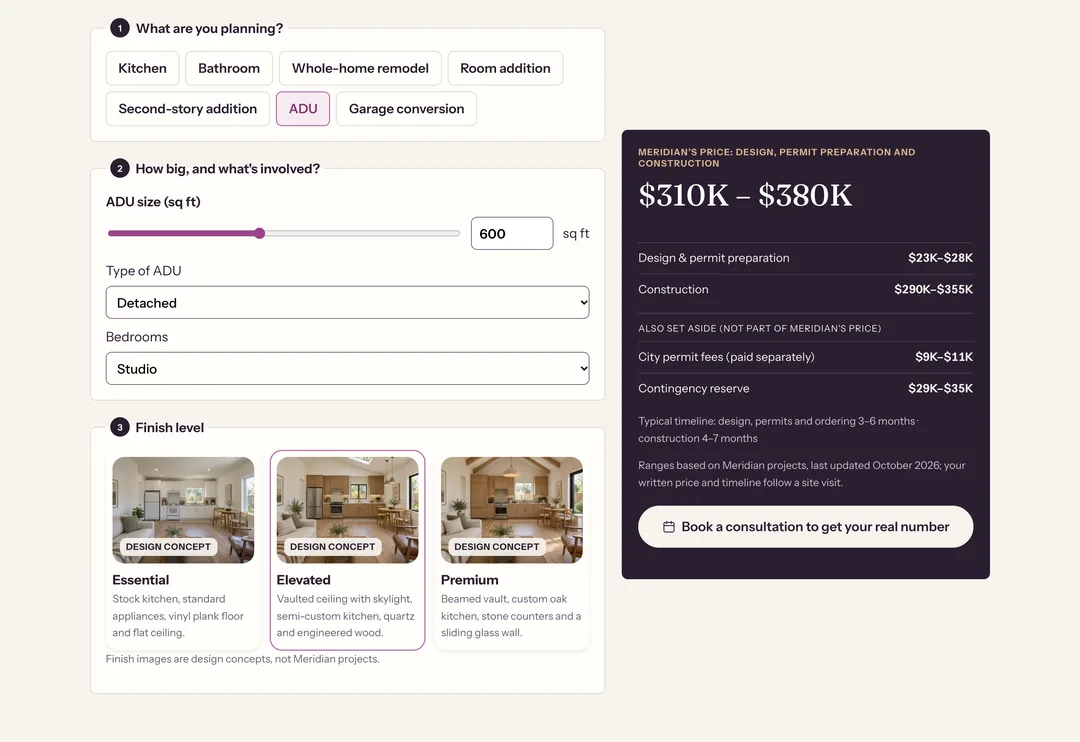
Planning tool · Meridian Remodeling
meridianremodel.com/plan-your-budget
The need
Homeowners want a realistic number before they talk to anyone.
What it does
Seven project types, size and scope questions and three finish levels produce a planning range, split into design and permits, construction, city fees and a contingency reserve.
How it's built to last
The ranges live in a pricing spreadsheet the company edits. An import checks every value before the site rebuilds, so a price change reaches every page that shows it.
Technical details
Static pages with a small planning script; no account or server session needed
Prices stored once as shared facts and referenced from copy, so pages can't drift apart
The import rejects bad formats, low values above high ones and out-of-range sizes, and changes nothing if any value fails
The booking link passes the chosen project type to the lead form
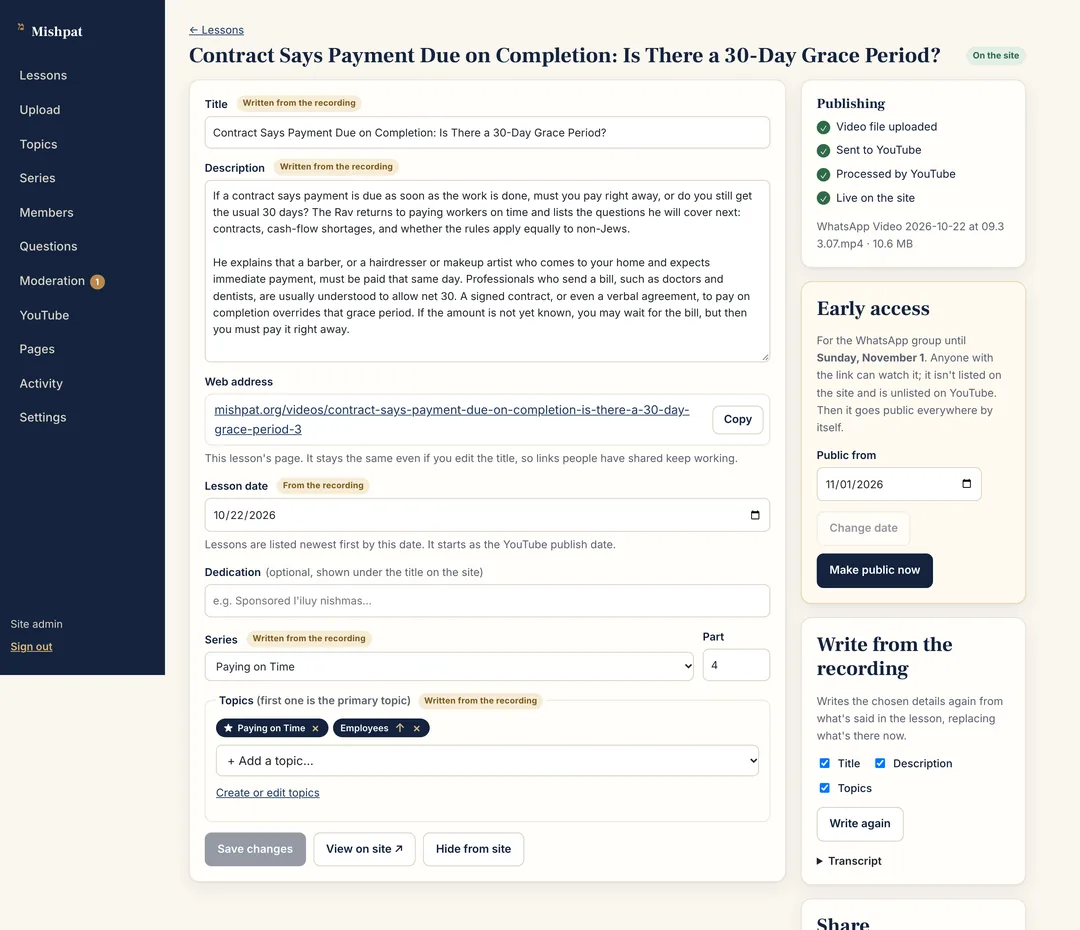
A publisher who records on a phone shouldn't have to fill in forms or manage YouTube.
What it does
Upload from a phone and leave the details blank. The platform drafts the title, description and topics from the recording, sends the video to YouTube and puts it on the site once it plays.
How it's built to last
Every drafted field is marked “Written from the recording” until someone reviews it. New topics are only ever suggested, never created on their own.
Technical details
Resumable uploads straight to private storage, so a dropped connection doesn't restart a large file
A background worker transfers the video with the YouTube Data API, with duplicate protection and retries
The recording's audio is transcribed and a language model drafts the details
The source video is deleted a week after YouTube has it; the audio is kept for later use
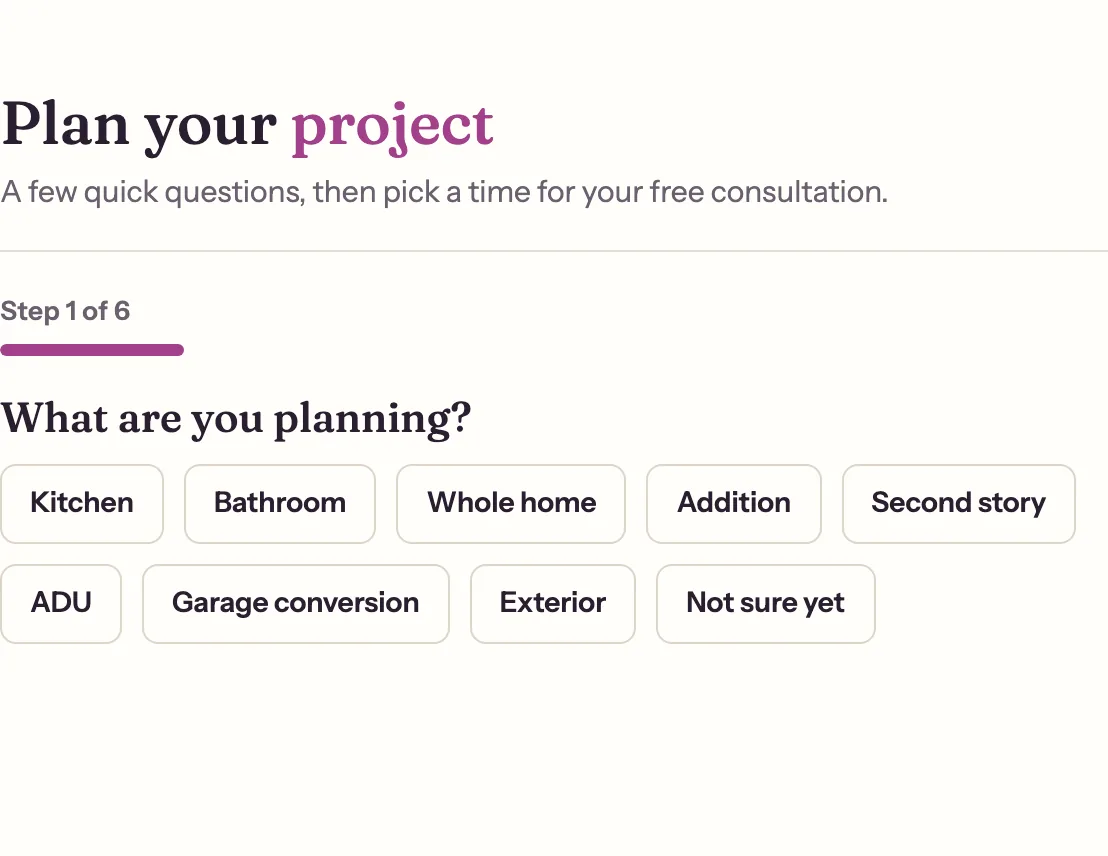
An inquiry should arrive with what the visitor already told you.
What it does
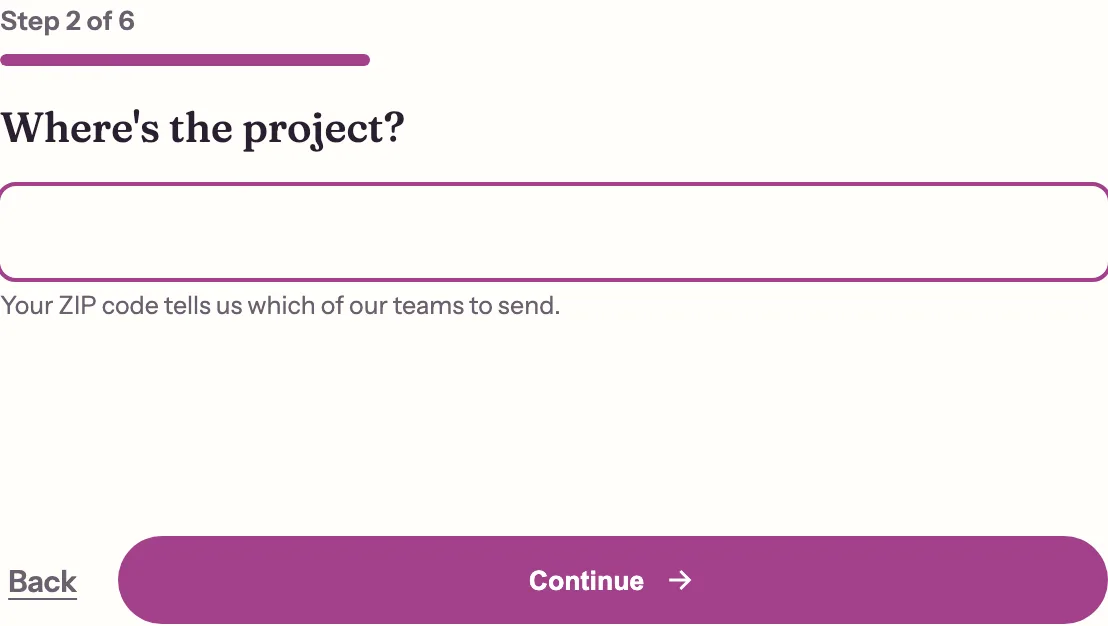
A step-by-step booking form, one question per screen. Picking a project in the estimator opens it at step 2 with that project chosen.
How it's built to last
Our lead platform runs it: one embed for the whole site, a form per page, server-side validation and spam checks, and every lead saved before a notification is sent.
Technical details
The form, its copy and its notification emails are edited in the platform, with no site rebuild
Campaign parameters and click IDs are captured with first and last touch
The site keeps a working fallback if the platform can't be reached
Not yet: attaching the estimate range itself to the inquiry
We built these tools for our own projects. They're part of a project only when they fit what the business needs.
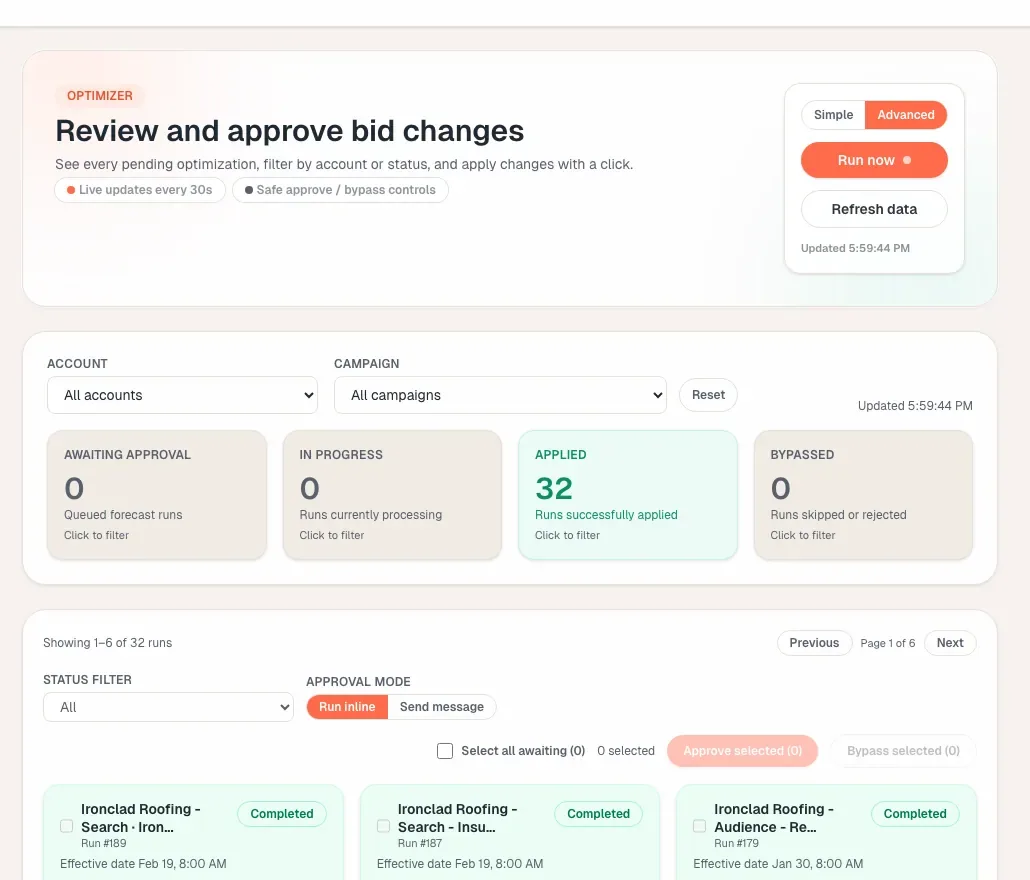
Adsoptia Google Ads budget optimizer
Finds wasted Search spend and moves budget toward the hours and campaigns that convert, without raising total spend. Every change is shown before it runs.
When we use it: When a client runs Google Ads. Also available on its own.